
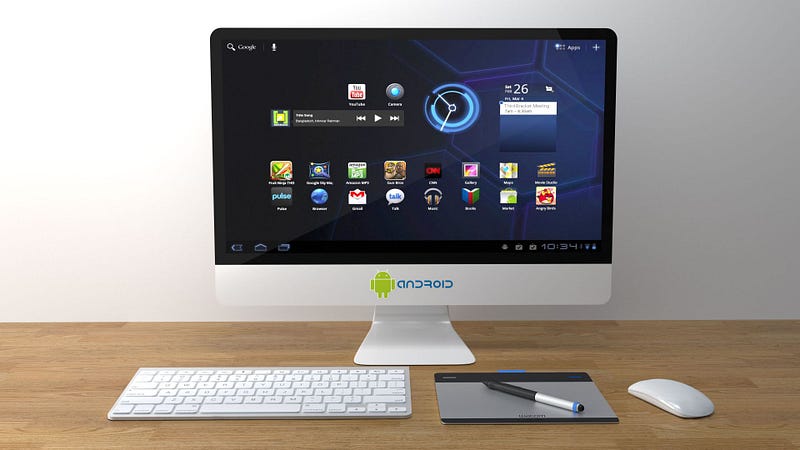
Stop living in digital disarray and bring order to your online world
Staring blankly at overflowing home screens, not knowing where to start in the sea of emails and files—it’s a common struggle.
Fear not; with diligence and Marie Kondo’s legendary decluttering method, you can tame the digital chaos.
Table of Contents
Assess the avalanche
Handle with care
Downsize to the essentials
A home for everything
Maintain the momentum
Got Questions?
Summing Up
Assess the avalanche
The first step is to take stock of everything — open all your devices and accounts. I started by auditing each of my devices—my phone, laptop, and tablet. On my phone’s home screen alone, I had 37 apps taking up 5 pages. Yikes!
I then moved to my email accounts. In my primary Gmail folder, I was shocked to find 827 unread emails. My secondary email had 234 sitting unread as well. Finally, I opened my laptop and checked folders like Documents, Pictures, and Downloads. The numbers were certainly eye-opening.
Taking inventory and getting specific numbers like “37 apps on the phone” and “827 unread emails” showed me the full extent of my digital disorganisation. It lit a fire under me to declutter and get my online world in order.
Handle with care
Now it was time to go through everything one-by-one. I began with my email accounts, reading and either deleting or archiving each message. Any newsletters or subscriptions I never read got unsubscribed from immediately.
Next, I dug into my phone apps. Going through the 37 apps on my home screen, I asked myself if I truly used and enjoyed each one. Out went unused apps like a travel guide for a city I’ll never visit and games I never play anymore.
I then moved to files on my computer. Documents from 5+ years ago that were just taking up space were deleted without hesitation. Old photos from past trips were culled if they didn’t spark any joy or memories.
Letting go of the digital items that didn’t serve me anymore felt incredibly freeing and liberating.
Downsize to the essentials
With the initial clutter removed, I looked to streamline further. On my phone, I organised the essential apps I kept into relevant folders like “Social,” “Shopping,” and “Travel.” This helped me find what I needed quicker.
For files on my laptop, I consolidated duplicates, installed a cleaning app to find unused files, and created clearly labelled folders like Photos,” “Bills and Receipts,” and “Work Documents.”
Paring everything down to just the necessities felt refreshing and made my files and folders much less daunting to navigate.
A home for everything
Now that I had decluttered and streamlined, it was time to implement an organisational system. On my phone home screens, I arranged the app folders in a grid pattern for easy viewing.
In my email accounts, I set up filters to automatically categorise messages into labelled folders like “Personal”, “Work, and “Bills & Receipts”. This keeps my inboxes decluttered.
For files on my laptop and cloud storage, I ensured everything had a clear home, whether in the labelled folders I created or saved to specific cloud categories. Now all my digital items are easy to find.
Maintain the momentum
To prevent clutter from building up again, I now schedule maintenance. Every Sunday evening, I go through emails and delete anything I don’t need. I also remove any unused apps from my phone each month.
For files, I’ve set a reminder to go through folders every other week and delete or archive anything no longer relevant. With a little routine work, my online spaces stay serene!
Got Questions?
What’s the best way to organise my downloads folder?
I create subfolders by file type, like “Documents”, “Images” and “Videos”, then add date subfolders within each to keep related files together chronologically.
How do I declutter my browser bookmarks?
I consolidate the most-used bookmarks into easy-to-navigate folders. Anything untouched for 6+ months gets removed to simplify my bookmark bar.
Should I delete old emails?
I aim to keep my inboxes to no more than 100–200 emails at a time. Anything over 6 months old gets moved to archives, and I permanently delete messages I’m certain I don’t need.
How do I remove unused apps?
For Android, I press and hold an app to find the remove option. Anything unopened in 3+ months goes.
What’s the easiest way to declutter my photos?
After backing up cherished memories, I select all photos in my camera roll and delete any that don’t spark joy. I also use cloud storage categories to keep future photos tidy.
Summing Up
Decluttering my digital world took time but completely transformed how I manage my tech.
I now feel less stressed with a clean, organised system. Using KonMari’s method regularly prevents clutter from accumulating.
With a tidy digital environment, I’m living more mindfully and joyfully online.
Thanks for reading…
If you enjoyed reading my story, please highlight any parts you think other readers would find interesting.
A couple of claps 👏 wouldn’t go amiss, either.
Don’t forget to leave your comments about what you thought of this story.
Consider following me here on Medium and subscribing to my stories.
Discover more from Nom@d learning
Subscribe to get the latest posts sent to your email.
 Nom@d learning
Leave a comment